The small utility to download Youtube videos in Internet Explorer was updated!
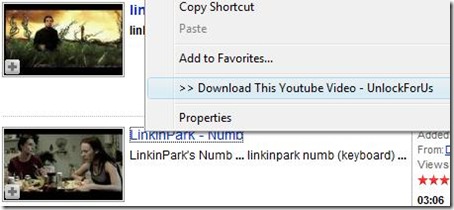
Just Right-Click the link >>> Download. That's it! When the File-Download Dialog Window OPENS, press CTRL+V to paste the filename.
Simple Things Matters...
Here are some important changes I made:
- More Intelligent: Automatic Detection of High Definition 720P, Higher Quality and Standard Flash videos
- DON'T ASK feature: Removal of Message boxes for annoyance, Automatically select and download all videos to MP4 or FLV
- automatic detection of URL (trapping and clipping)
- Anti-Bug Feature due for user intervention like moving and opening the program in a new folder.
- Getting the link is much faster than the previous version
- The new version is focused on usability and speed
READ FIRST:
YOUTUBE FILE HACK DOCUMETATIONENJOY!!! :)

 Posts
Posts


0 Comments:
Post a Comment